auto publish blog posts from google docs to wordpress
Automate publishing from Google Docs to WordPress without sacrificing quality. Practical steps, trade-offs, and tools.
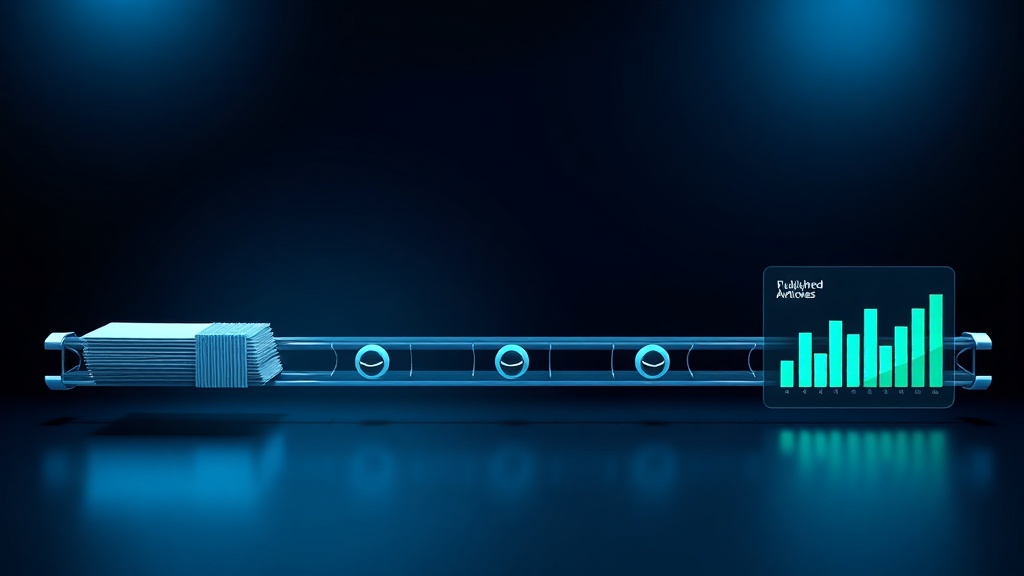
Auto publishing blog posts from Google Docs to WordPress saves hours of manual copying, formatting, and scheduling. The most reliable approach uses a dedicated integration tool that converts Google Docs formatting to WordPress blocks and handles media uploads automatically.
Manual copy-paste introduces formatting errors, broken images, and inconsistent styling that hurt reader experience and SEO. Automation eliminates these issues, but only if the tool preserves your content structure and allows editorial review before going live.
For teams publishing more than four articles per month, the time savings justify the setup. Smaller blogs may find manual publishing sufficient, especially if they value full control over every detail.
- Automation eliminates formatting errors from manual copy-paste
- Best for teams publishing 4+ articles per month
- Editorial review before publishing remains essential
- Choose a tool that preserves headings, lists, and images
Common Blog Publishing Mistakes That Cost You Rankings
Every hour spent manually copying blog posts from Google Docs to WordPress is an hour not spent on strategy, editing, or promotion. For a team publishing eight articles per month, that can be 8–12 hours of repetitive work that adds zero value to the reader.
For example, a SaaS team publishing weekly blog posts might have a writer finish in Google Docs, then an editor spends 30 minutes per article copying text, reformatting headings, uploading images, and scheduling. Over a year, that's over 25 hours of pure drudgery.
The most common mistake is assuming manual publishing is faster than setting up automation. Many teams try to 'just copy-paste quickly' and end up spending more time fixing broken formatting, missing images, and inconsistent styling than they would have spent configuring a proper workflow.
Over time, the compounding effect of rushed manual publishing leads to inconsistent content quality, broken internal links, and lower search rankings — all because the publishing step was treated as an afterthought.
If keeping a consistent publishing schedule feels impossible without a dedicated team, Zorenax automates the entire cycle — keyword to published post, on schedule, without manual work.
What Actually Matters in Auto Publishing
Most teams focus on speed when choosing an auto-publishing tool, but the real value is consistency. A tool that preserves your exact formatting — heading hierarchy, bullet lists, bold/italic, image placement — eliminates the most common source of post-publishing fixes.
The common assumption is that any automation is better than manual. In practice, a poorly configured automation that mangles your content creates more work than manual publishing, because you have to fix errors after the fact. The key is finding a tool that maps Google Docs styles to WordPress blocks accurately.
Another overlooked factor is media handling. Many tools either ignore images or upload them without proper alt text, which hurts accessibility and SEO. A good auto-publishing solution should handle image uploads, set alt text from your document, and optimise file sizes.
- Formatting consistency matters more than raw speed — broken headings and lists create more work
- Media handling is often the weakest link: images without alt text or oversized files hurt SEO
- Editorial review before publish is non-negotiable — automation should not bypass human judgement
- The best tools let you preview the WordPress version before it goes live
Practical Auto Publishing Workflow
For example, a B2B SaaS startup publishing two articles per week can set up a workflow where the writer drafts in Google Docs using a template with predefined heading styles, then an editor reviews and clicks 'publish' in a connected tool. The entire transfer takes seconds instead of 30 minutes.
A common limitation: not all Google Docs formatting translates perfectly. Custom fonts, complex tables, and inline comments often get lost. The solution is to use a limited set of styles (H2, H3, bullet lists, bold, italic) and avoid exotic formatting in the source document.
For a solo blogger publishing once a week, the same workflow works but the time savings are smaller. The setup cost (choosing a tool, configuring templates) may take a few hours, which pays back after 5–10 articles. For larger teams, the ROI is immediate.
- Set up a Google Docs template with consistent heading styles (H2, H3) and image placeholders. This ensures the tool can map formatting correctly every time.
- Choose an auto-publishing tool that connects Google Drive to WordPress. Configure it to map your heading styles to WordPress blocks and to upload images with alt text from your document.
- Write your article in the template. Use only the predefined styles — avoid custom fonts or manual formatting that won't transfer. Add images with descriptive file names.
- Before publishing, preview the article in WordPress. Check that headings, lists, and images are correct. Make any final edits directly in WordPress or back in Google Docs.
- Schedule or publish. If your tool supports scheduling, set the publish date in Google Docs metadata. Otherwise, schedule in WordPress after the preview.
The automation flow described above is what the Zorenax auto-publishing system runs for you — set your cadence once, and content goes live without intervention.
Trade-Offs: Manual vs Automated Publishing
Manual publishing gives you full control over every detail, which is valuable for highly designed posts with custom layouts. Automation wins when you publish frequently and value consistency over pixel-perfect control. The right choice depends on your team size and content volume.
Solo bloggers publishing fewer than four articles per month may prefer manual publishing to avoid setup overhead. Teams publishing weekly or more benefit from automation, especially if multiple writers contribute.
| Task | Manual | With Zorenax |
|---|---|---|
| Copy text from Google Docs | Copy-paste each section | One-click import |
| Format headings and lists | Reapply styles manually | Auto-maps styles |
| Upload images | Download and upload each | Auto-uploads with alt text |
| Schedule publish date | Set in WordPress editor | Reads from doc metadata |
| Preview before publish | Open preview tab | Preview in tool |
| Fix formatting errors | Common after copy-paste | Rare if template used |
Implementation Checklist: Auto Publishing
Today: Audit your last 10 published articles. Count how many had formatting errors, missing images, or broken links that originated from the copy-paste process. Estimate the time spent per article on manual transfer.
This Week: Set up a Zorenax integration that connects your Google Drive to WordPress. Configure the template mapping and test with a draft article. Zorenax handles formatting, image uploads, and scheduling automatically, and you can preview before publishing.
Next 30 Days: Publish at least 8 articles using the automated workflow. Track the time saved per article and the reduction in post-publishing fixes. Aim for zero formatting errors in the final published posts.
Next Steps After Automating Publishing
You now know that auto publishing from Google Docs to WordPress is not just about speed — it's about consistency and eliminating a major source of content errors. The practical implication is that you can redirect hours from manual transfer to higher-value activities like editing and promotion.
If automating this workflow without sacrificing quality sounds right, Zorenax handles the full pipeline — from Google Docs to published article — with formatting preservation, image handling, and scheduling. You can start with 12 free credits to see how it fits your process.
The first step is to audit your current publishing time and error rate. Once you have that baseline, setting up the automation takes less than an hour.
Frequently Asked Questions
Will auto publishing mess up my WordPress formatting?
It depends on the tool. A good auto-publishing tool preserves heading hierarchy, lists, bold, italic, and image placement by mapping Google Docs styles to WordPress blocks. However, custom fonts, complex tables, and inline comments often get lost. To avoid issues, use a limited set of styles in your Google Docs template and preview before publishing. For example, stick to H2, H3, bullet lists, and bold/italic. If your post requires a custom layout, manual publishing may be safer.
Can I still edit the post after auto publishing?
Yes, most auto-publishing tools create a draft or scheduled post in WordPress that you can edit before it goes live. This is a critical feature — never let automation publish directly without human review. After the post is published, you can edit it in WordPress as usual. The automation only handles the transfer; you retain full editorial control. For example, you might use the tool to create a draft, then review and tweak the post before scheduling.
How do I handle images when auto publishing from Google Docs?
The best tools upload images automatically, set alt text from your document (e.g., the image caption or file name), and optimise file sizes. However, not all tools handle images well. Some may skip images or upload them without alt text, which hurts accessibility and SEO. To ensure images transfer correctly, use a tool that explicitly supports image handling, and always check the preview before publishing. For example, Zorenax uploads images with alt text and compresses them automatically.
Is auto publishing suitable for a solo blogger?
It depends on your publishing frequency. If you publish fewer than four articles per month, the time savings may not justify the setup overhead. Manual copy-paste might take 10–15 minutes per article, which is manageable. However, if you publish weekly or more, automation saves hours each month and reduces errors. For a solo blogger, the key is choosing a lightweight tool that doesn't require complex configuration. Start with a free trial to see if the workflow fits.
What happens if my Google Doc has comments or suggestions?
Most auto-publishing tools ignore comments and suggestions — they only transfer the final text. This is actually a benefit: you can leave editorial comments in the doc without them appearing in the published post. However, if you use suggestions (track changes), make sure to accept all changes before publishing, otherwise the tool may transfer the original text. A good practice is to have a 'clean' version of the doc that is ready for publishing, with all edits accepted and comments resolved.
Can I schedule posts from Google Docs to WordPress?
Yes, many auto-publishing tools support scheduling. You can set the publish date and time in the Google Doc metadata (e.g., in a custom field or the document properties), and the tool will schedule the post in WordPress accordingly. Alternatively, you can schedule directly in WordPress after the draft is created. Scheduling from Google Docs is useful for batch writing: you can write several posts, set their publish dates, and let the tool handle the rest. Just ensure your tool reads the date correctly.
To go deeper, explore Auto Publishing in Zorenax, or see pricing plans.
Your content calendar should run itself. Start Free → and publish your first automated article today.
Try Zorenax free with 12 credits
Find keyword opportunities, generate articles, and publish to WordPress automatically.
Get better at
SEO automation.
Join Zorenax and start creating SEO-ready content with AI.
Try For Free